
- Authors

- Name
- Alberto Montalesi
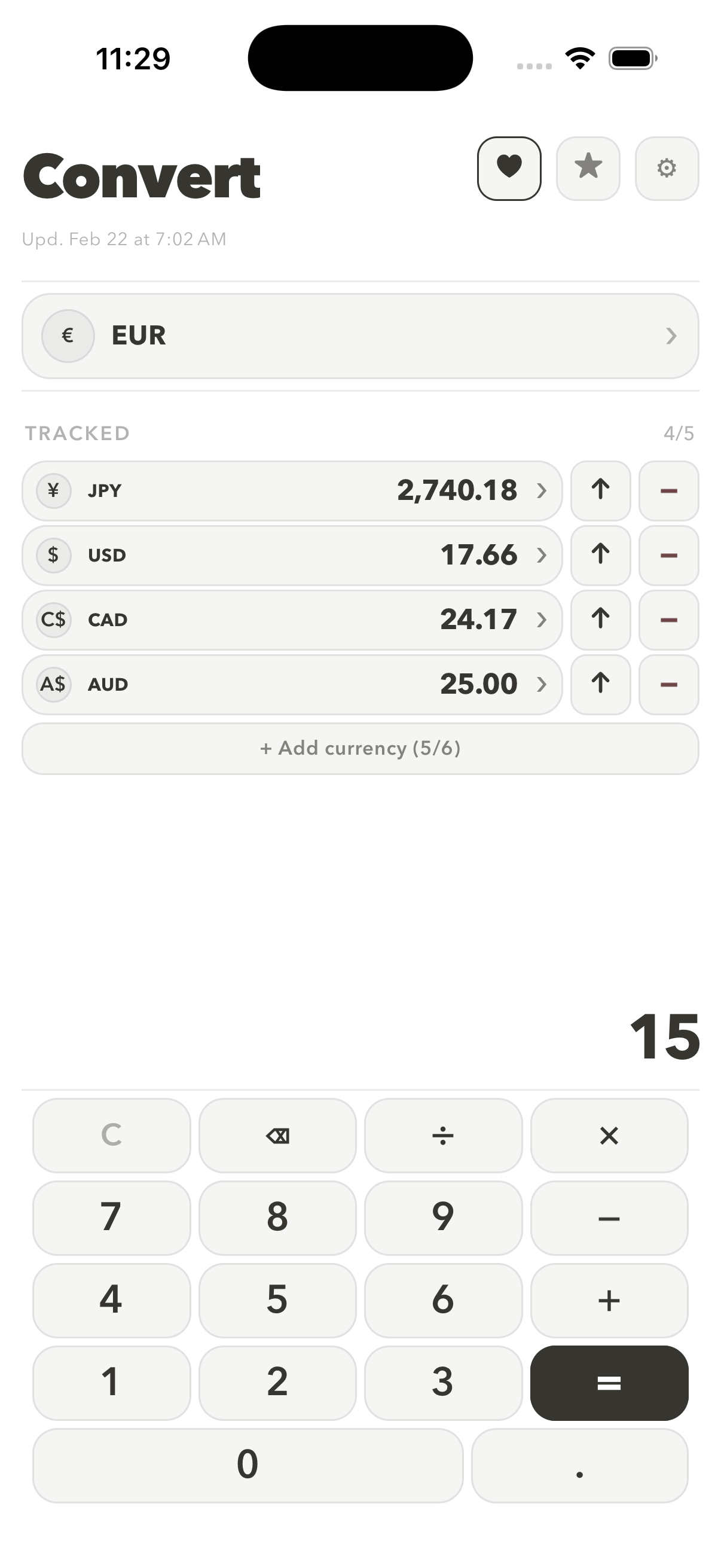
Every currency converter I tried made me leave the app to do basic arithmetic. I'd convert a price, then reach for the calculator to split it, add tax, or multiply it by a quantity, then come back and lose my place. Valuta puts the calculator and the conversion in the same screen, which turned out to be the entire feature that mattered.
What's in Valuta
It is a deliberately small app. There is no finance dashboard or portfolio tracker, just a fast path from "what is this in my currency" to an answer you can use in a calculation.
| Feature | What it does |
|---|---|
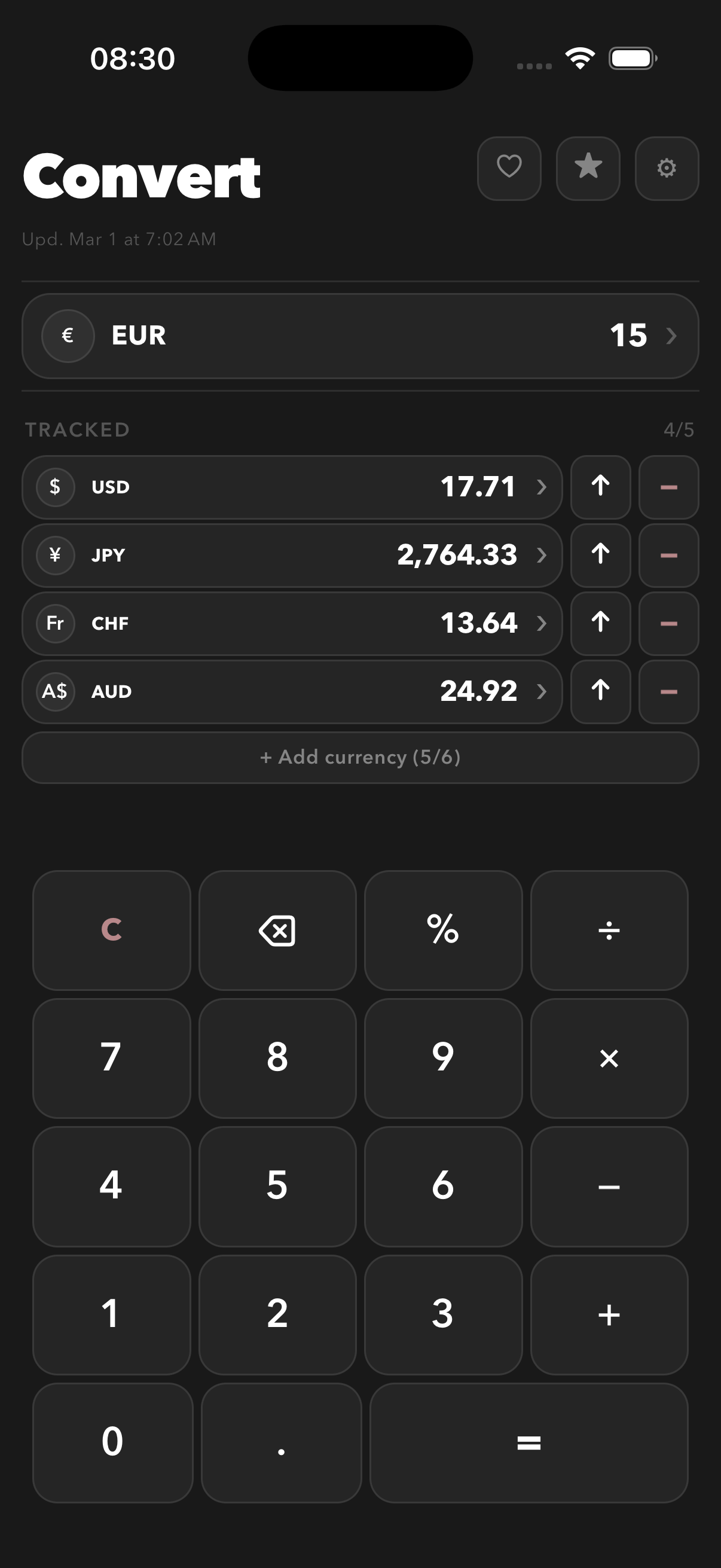
| Exchange rates | Fetches rates when connected and keeps the most recently retrieved rates for offline reference |
| Calculator keypad | Arithmetic and conversion in one flow, no app-switching |
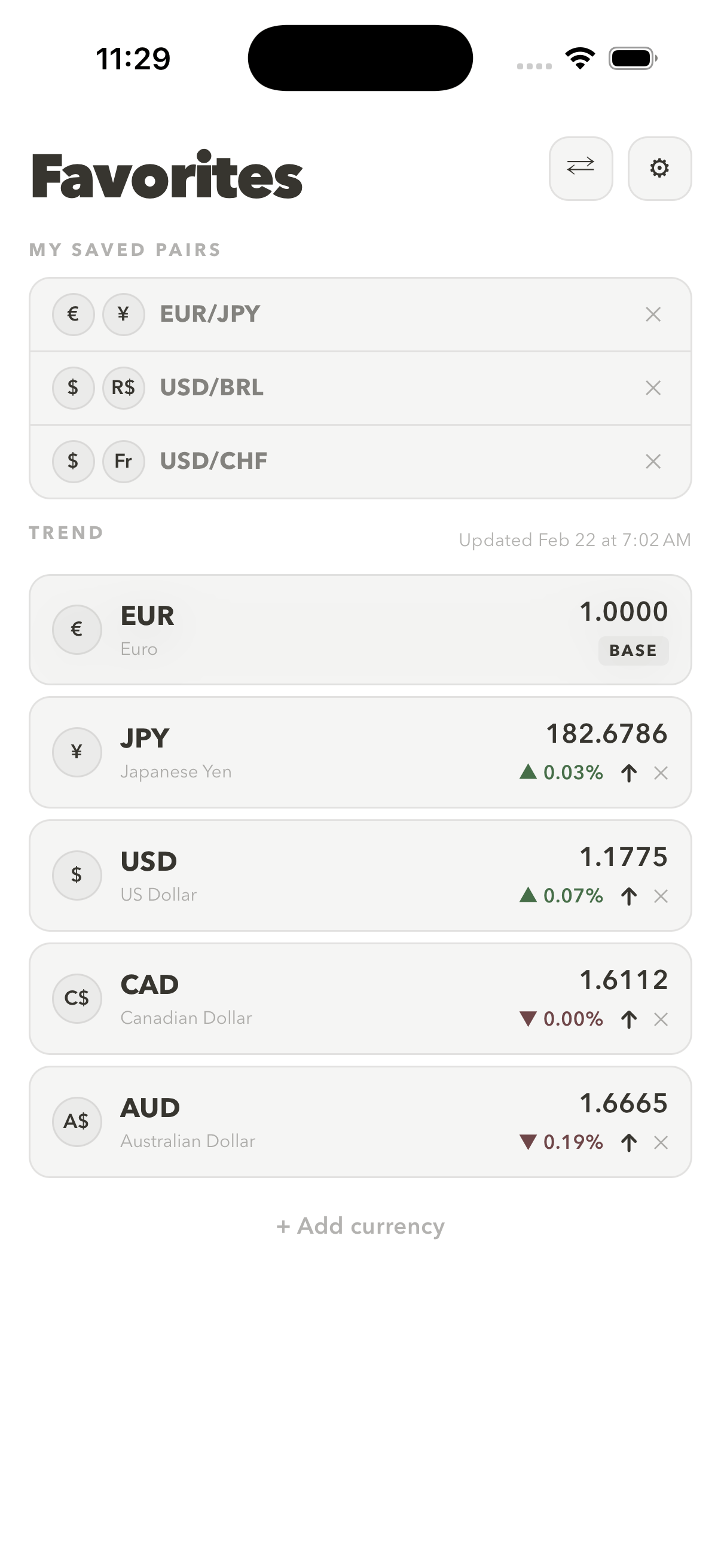
| Saved currency pairs | Your most-used conversions are one tap away |
| Pricing | One-time purchase, no account, no subscription |
Works offline, stays private
Valuta stores the most recently retrieved exchange rates locally. With no signal, it can still show those cached rates instead of failing outright. A cached rate may be out of date, so it is useful for a quick estimate, not a quote or financial decision.
There's no account and no sign-up. Your settings and saved currency pairs are stored locally on your device and never sent to a server. It's a one-time purchase rather than another subscription, which felt like the right model for a utility this narrow.
I used AI tools to accelerate the rate cache, calculator logic, and React Native UI. The calculator-first flow, local storage, and one-time purchase were product decisions. The screenshots above were made with AppFramer.
Valuta is available now on iPhone at valuta.montalesi.dev, with an Android version in progress. If you've ever converted a price and immediately needed a calculator, that's the entire reason this app exists.
Recommended Tools
These are affiliate links. Using them helps support this site at no extra cost to you.
Did you find this useful?
0 readers found this helpful